Best practices for getting around during service disruptions
Your app is full of features to help you navigate disruptions on your lines with peace of mind.
Plan your trip
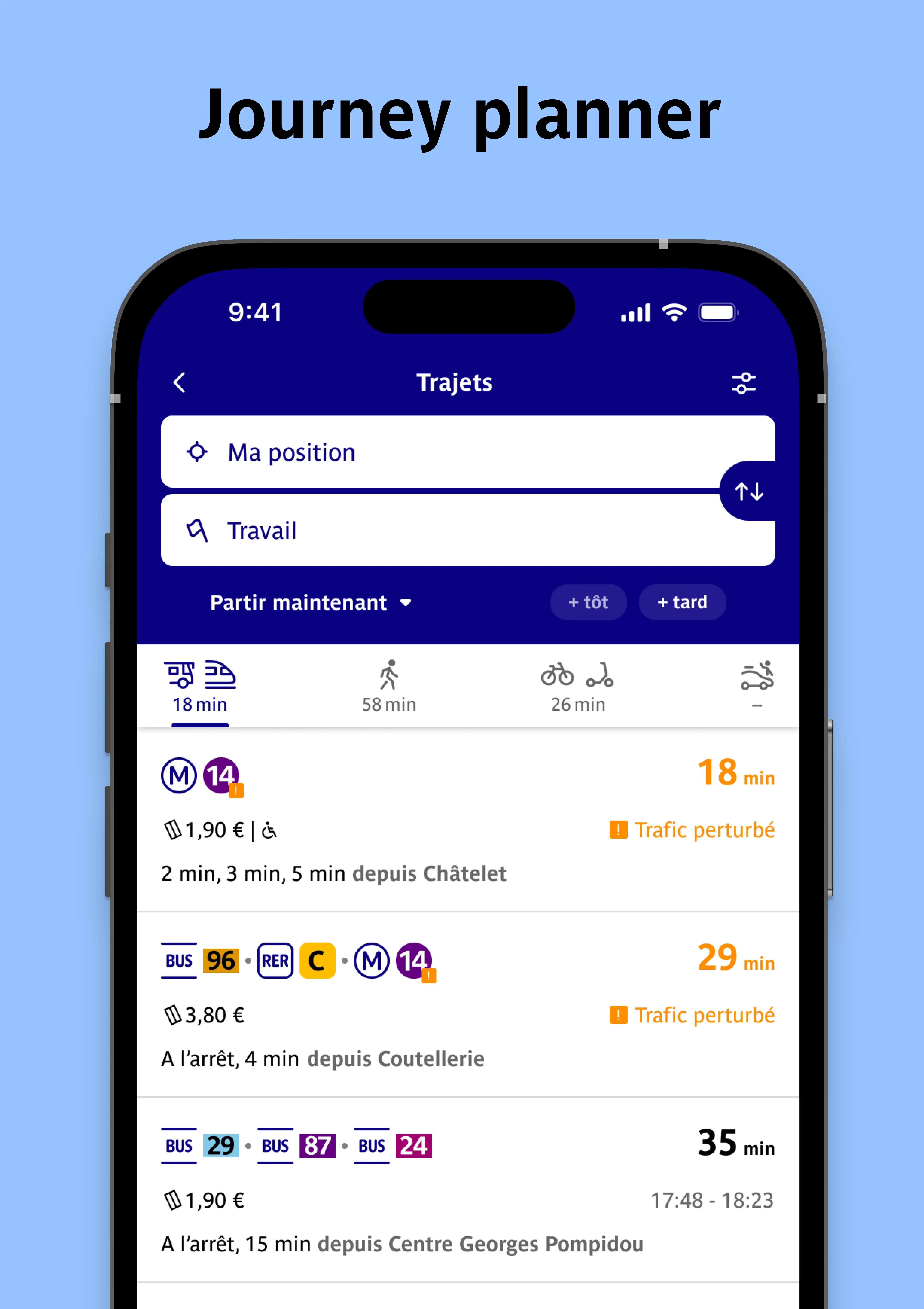
Search for a route, for now or later
Start a route search from the home screen of your Bonjour RATP app. The best journeys will be suggested, taking into account current or upcoming disruptions.
Filter your search according to your preferences: departure day and time, preferred transport modes, lines and stations to avoid…
Stay informed
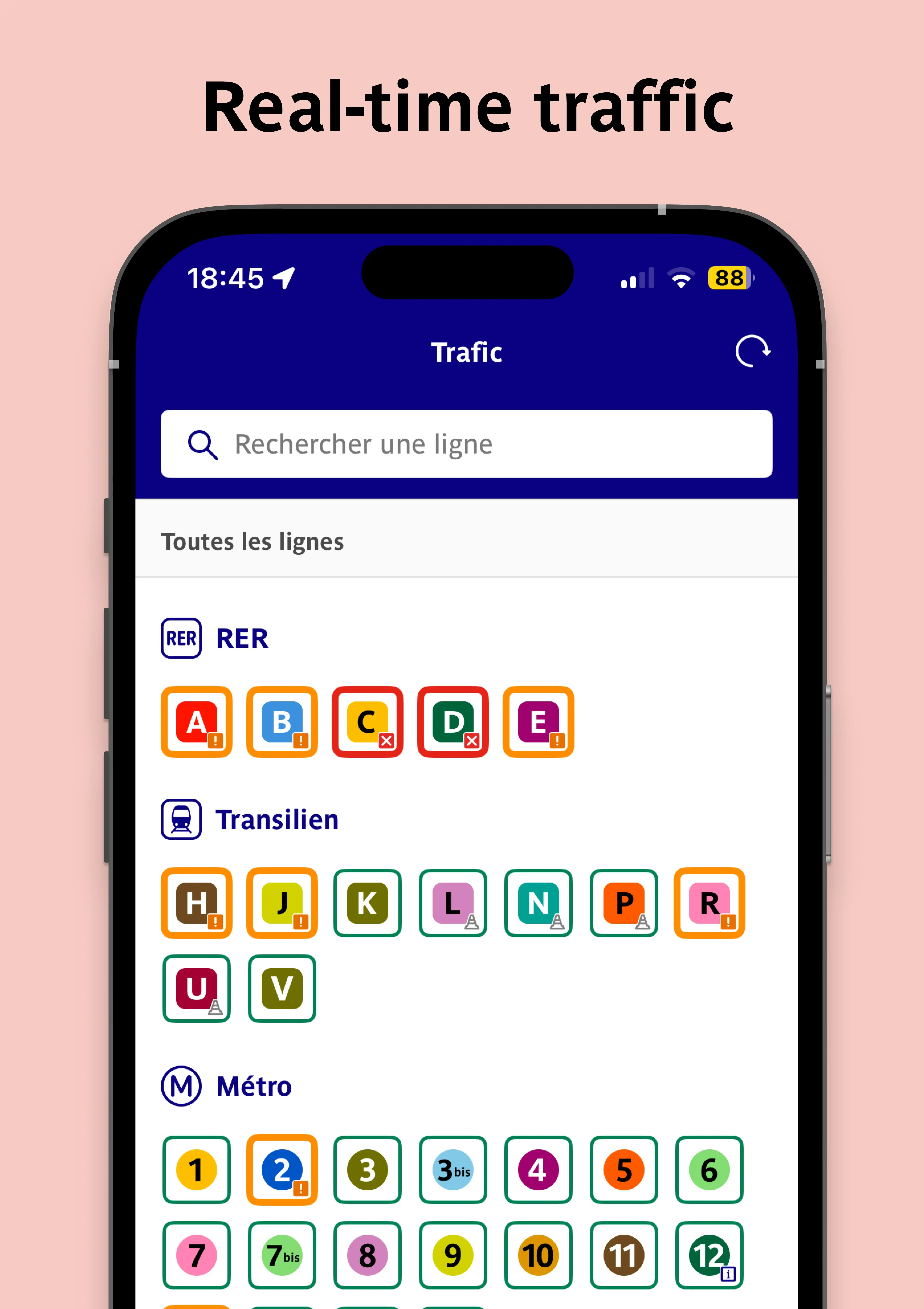
Real-time traffic
In the Traffic tab of the app, check real-time traffic as well as upcoming disruptions on your favorite lines.
Still in the Traffic tab, create an alert to receive a notification whenever a disruption affects your line. Only on the days and times that matter to you.
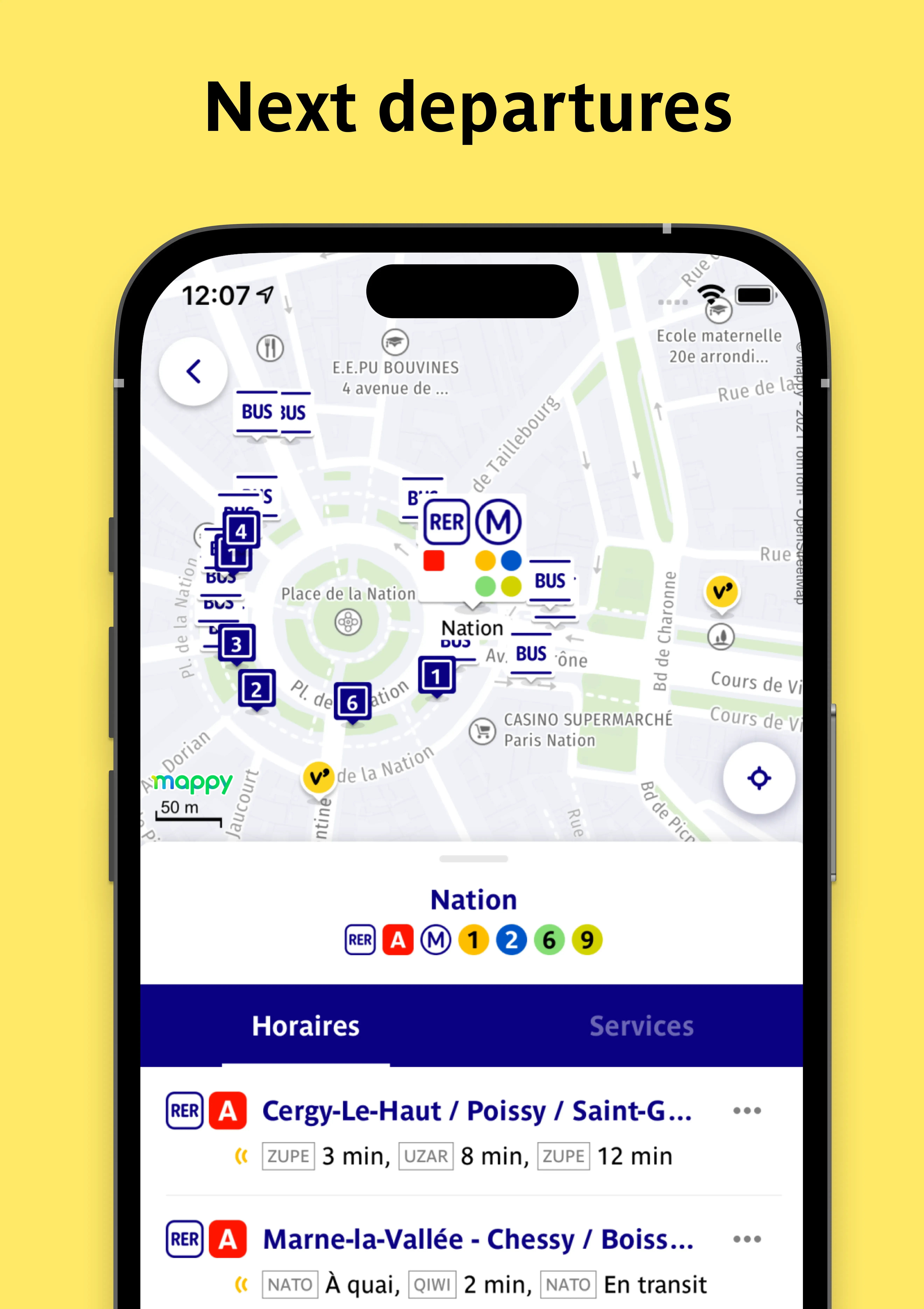
Next departures
In the Schedules tab, find First Departures, Last Departures and Next Departures at your station.
Choose to walk
Walking is an eco-friendly and healthy option for short distances! Bonjour RATP will guide you through the streets of Paris and the Île-de-France region, wherever you are. Plus, it will record the number of kilometers you walk and the amount of CO₂ emissions saved.
To do this:
- Enable the app’s geolocation feature in your phone settings
- Start a route search and select the Walking route
- Tap Let's go to start GPS navigation
Ride a bike
In Île-de-France, there are more than 8,720 KM of bike lanes! A real advantage, especially during service disruptions, if you enjoy cycling or want to give it a try.
Renting a bike
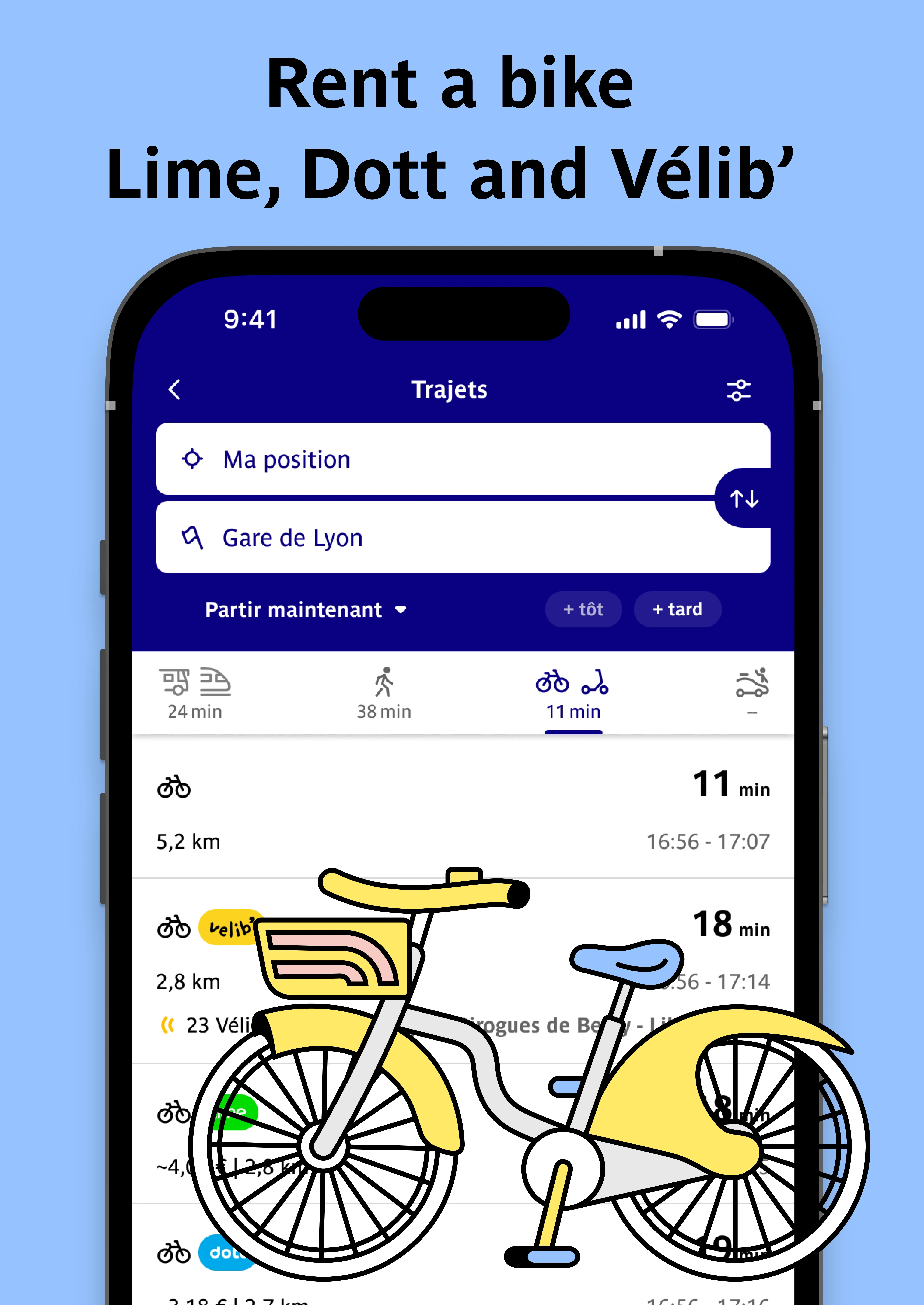
Bonjour RATP is a partner of Dott, Lime, Voi and Vélib’. Without changing apps, you can locate and rent more than 35,000 bikes and scooters available in self-service, both in Paris and the surrounding suburbs!
More information in this article: How to rent a bike?
Riding with your own bike
Your app will guide you through the streets of Paris and the Île-de-France region. To do so:
- enable the app’s geolocation function in your phone settings
- start a route search and choose the Bike option
- Tap Let's go to start GPS navigation